
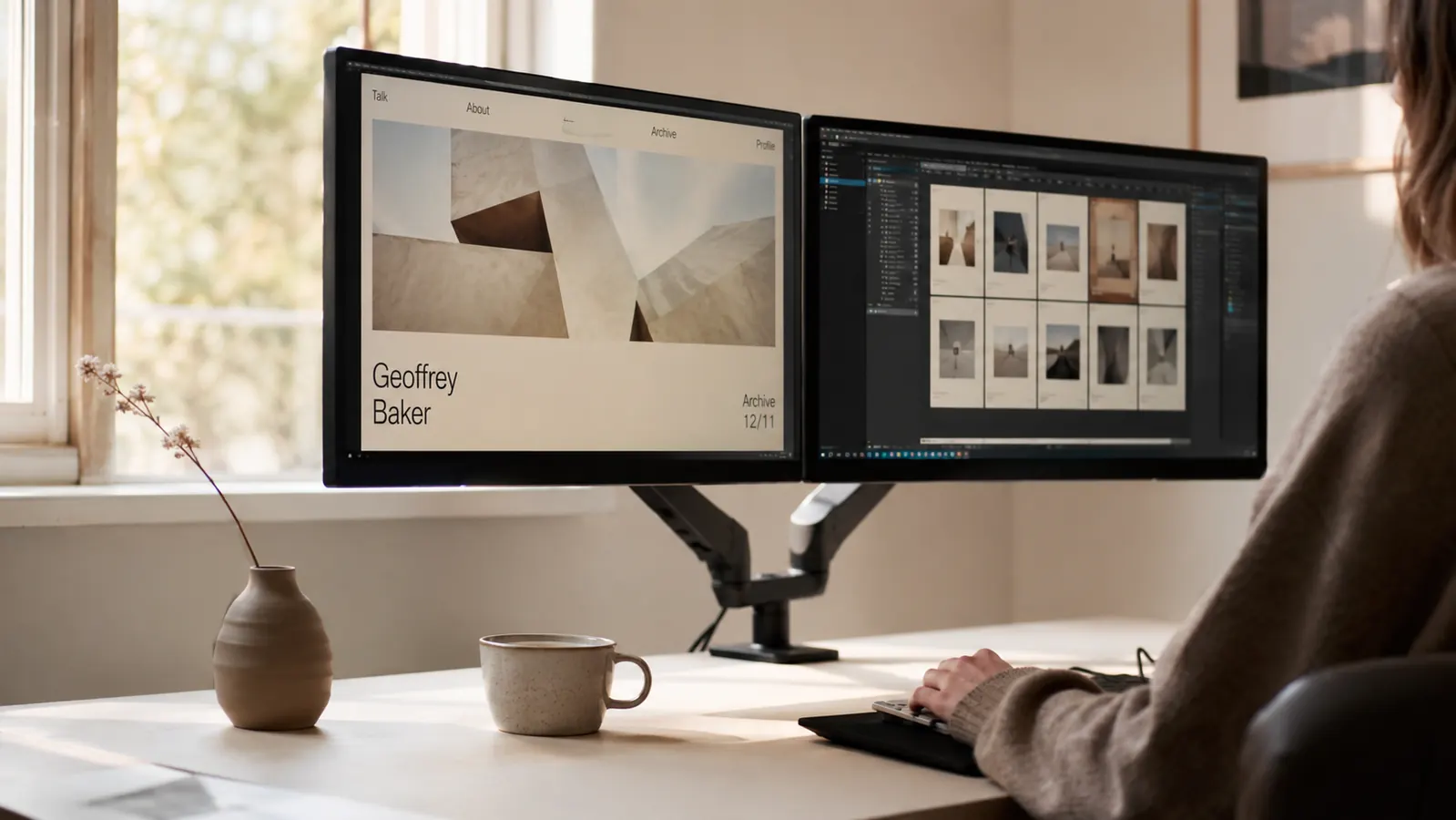
Fourteen months ago I had two monitors sitting on their factory stands, and my desk looked like a flea market. The bases took up more surface than my actual work did. I was leaning forward to read one screen and craning left to check the other, and by three in the afternoon my shoulders were a tight knot I carried into the evening. I had tried propping the shorter monitor on a stack of hardback art books, which worked exactly as well as it sounds.
I almost bought an Ergotron. Then I saw the VIVO Dual Monitor Desk Mount at a budget price and thought, at that price I am either going to be very happy or mildly annoyed for about the cost of a dinner out. Turns out I was very happy. Fourteen months later the stand is still on my desk, still holding both of my 24-inch monitors, and I have not touched the adjustment knobs since the first week. That is the short version. Here is the longer one.
The Quick Verdict
A no-frills dual monitor arm that delivers 90 percent of the Ergotron experience at 15 percent of the price. Exceptional for monitors up to 27 inches. Not the arm for anyone who repositions screens multiple times a day.
Amazon Check Today's Price →Your desk surface is disappearing under two factory monitor stands. Here is the fix.
The VIVO dual mount has over 60,000 ratings on Amazon and costs less than most people spend on office supplies in a month. Check today's price below.
Amazon Check Today's Price on Amazon →How I Have Used It
My home office is a converted spare bedroom about eleven feet wide. I work at a walnut-veneer desk that is 55 inches across and about 1.25 inches thick at the back edge. Both monitors are Acer 24-inch IPS panels, roughly 12 pounds each. I use one for writing and the other for reference, browsing, or the occasional video call. I sit at this desk around six hours a day, most days of the week, and I take it seriously because the space matters to me. I want it to look calm, not like a server rack.
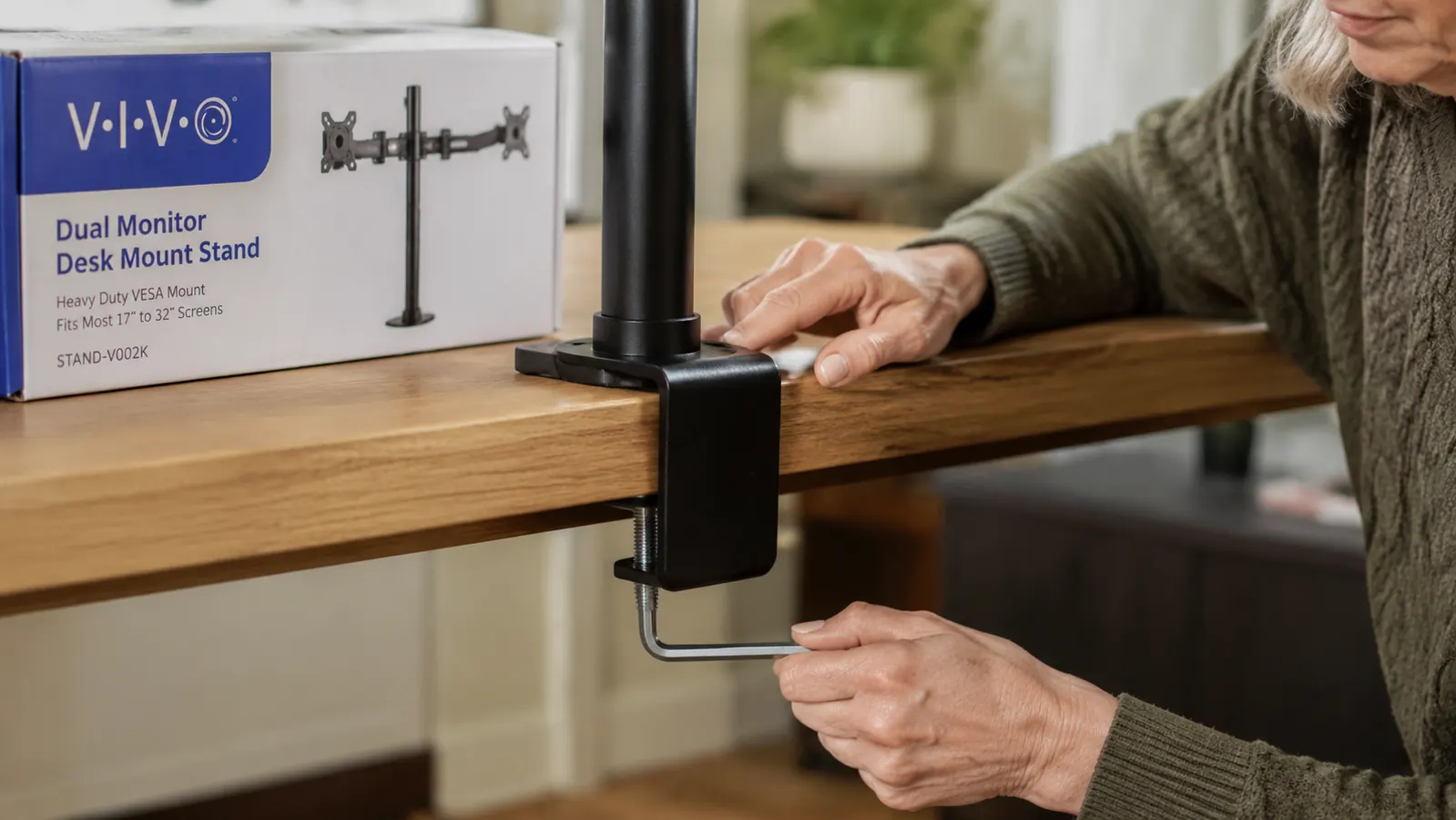
I set the VIVO mount up alone, without help, in about 45 minutes from box to finished. The clamp tightened cleanly onto my desk edge. I routed both monitor cables through the arm channels before attaching the screens, which is the right order and the one thing the instructions actually make clear. Once both monitors were seated and I had dialed in the tilt and height over about 20 minutes of small adjustments, I was done. I have not adjusted them since.
Over the following fourteen months: I have moved my desk twice (once across the room, once to a different wall), removed and reattached the mount each time without any drama, and had zero instances of a monitor drifting out of position on its own. That last point matters more than people realize until they have owned a cheap arm that slowly nods forward over the course of a workday.
Build Quality and What You Are Actually Getting
The VIVO mount is steel, painted matte black. It is not light. The grommet and clamp hardware are chunky in a reassuring way. The arms themselves feel like a solid piece of shop equipment, not a consumer gadget. There is nothing especially refined about the aesthetic, but it is the kind of thing you can hide behind your monitors and forget about, which is exactly what I wanted.
The articulation is friction-based, not gas-spring. That is the key distinction between this mount and premium arms like the Ergotron LX Dual. On a gas-spring arm you can push a monitor up or down with one finger and it floats in place. On the VIVO you tighten a set of Allen bolts to dial in the tension you want, and after that the monitor stays put until you decide to move it again. If you reposition your screens once during setup and then leave them alone, this is perfect. If you like to pull a monitor closer for reading and push it back for video calls multiple times a day, the friction system will frustrate you.
The cable management channels run along the length of both arms and hold cables tidily enough that you will never see them from the front. I routed my monitor power cables, both DisplayPort cables, and a USB hub cable through the system on initial setup and they have stayed in place. This was not a selling point I thought would matter to me. It ended up being one of the things I appreciate most.
The factory stands were eating half my desk. After I mounted both monitors on the VIVO arms, I had a clear surface to work on for the first time in two years. That alone was worth the price.
Stability and the Wobble Question
People always ask about wobble, and I will be honest: there is some. When I type hard or when someone walks heavily across the floor above my office, the monitors move slightly. This is true of every desk-clamp monitor arm I have ever seen. It is not the arm flexing or the clamp slipping. It is the desk itself vibrating, and the arm transmits that faithfully. If you have a very solid desk (solid wood, not particleboard, no flex in the legs) you will notice less movement. My walnut-veneer desk on tubular metal legs shows a bit more than a solid hardwood desk would.
What I can tell you is that in fourteen months the monitors have never drifted, fallen, or felt unsafe. The clamp has not loosened. At 24 inches and 12 pounds per screen, I am well inside the rated capacity (up to 30 inches, up to 22 pounds each). People who have had stability issues in the reviews tend to be at the top of the weight range, using 27-inch or 30-inch panels, or mounted onto a thin desktop that flexes. My setup is comfortably in the middle of the spec range and it has been rock solid.
What the Setup Process Actually Looks Like
The box contains the main mounting post, two arms, two VESA brackets, the clamp assembly, a grommet plate if you prefer a through-hole mount, hardware bags, and a small wrench. Everything you need is in the box except a Phillips screwdriver for attaching the VESA brackets to the back of your monitors.
Step one is deciding whether to clamp or grommet. Almost everyone uses the clamp. You slide the main post into the clamp housing, tighten it to your desk edge, attach the arms to the post, route your cables through the arms before attaching the VESA brackets, attach the VESA brackets to your monitors, and hang the monitors on the arms. The instructions are sparse but the process is logical and there is no moment where you will need to hold two things in the air simultaneously. One pair of hands is fine.
The adjustment process after mounting is where you spend most of your 45 minutes. You set the height of the post on the main column first, then angle each arm, then tilt each monitor. Small movements make bigger changes than you expect, so go slowly. I suggest setting one monitor to your ideal position completely before touching the second, rather than trying to eyeball both at once.
The Desk Space You Get Back
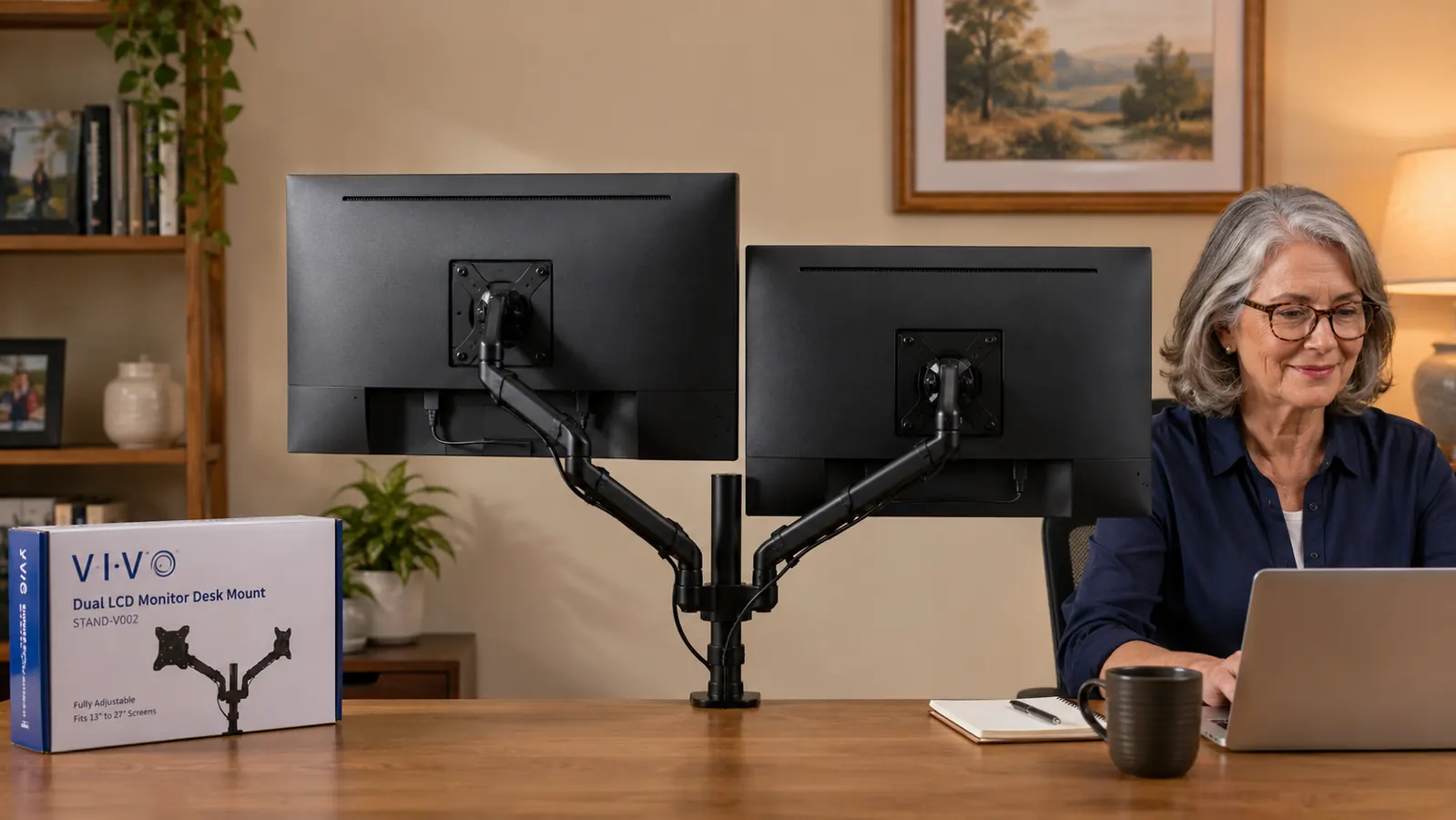
This turned out to be the single biggest quality-of-life change. My two factory monitor stands together occupied roughly 18 inches of front-to-back desk real estate. After mounting both monitors on the VIVO arms, that entire zone opened up. I now keep a small plant there. I have room for a notebook. My desk feels like a place I chose rather than a surface I filled up.
I say this because it was not the primary reason I bought the arm. I bought it for the ergonomics: getting both screens to eye level and reducing the neck angle. The ergonomics did improve. But the desk space was the surprise that made me feel like the purchase was genuinely transformative rather than just a useful tweak. If your monitors currently sit on their factory stands, you will have the same reaction.
What I Liked
- Frees up substantial desk surface immediately, more than you expect
- Cable management channels keep wires invisible from the front
- Extremely stable once tension is set, no drift in 14 months
- Clamp hardware is heavy-duty, grips standard desk edges securely
- Priced low enough that the decision is nearly risk-free
- Works well with monitors from 13 to 27 inches at practical weights
Where It Falls Short
- Friction-based joints, not gas-spring, so repositioning takes effort and a wrench
- Some wobble when the desk itself vibrates, especially on lighter desktops
- Cable routing is easier before you hang the monitors, instructions could be clearer about this
- Matte black finish shows dust on the arms over time
- The included wrench is functional but small; a standard Allen key set is more comfortable

How It Compares to Spending More
I considered the Ergotron LX Dual seriously before buying the VIVO. The Ergotron is a legitimately better arm: gas-spring joints, smoother one-handed repositioning, a cleaner industrial aesthetic, and a warranty that extends further. It also costs significantly more at most times, which is roughly six times what the VIVO costs. For that price gap to be worth it, you need to actually use the gas-spring movement regularly, which means you reposition your screens throughout the day. If you set your monitors once and leave them, you are paying a premium for a feature you will not use.
There is also a middle tier worth knowing about: dual mounts in the mid range from brands like Mount-It and North Bayou. These often offer gas-spring on a single arm and friction on the second, or full gas-spring at a lower cost than Ergotron. If you like the idea of occasional repositioning but the Ergotron price feels steep, that tier is worth a look. I did not go that route because the VIVO reviews and price were too compelling at the time, and I have no regrets. But I mention it because I write about this stuff and it is a real option. You can read my full side-by-side in the VIVO vs Ergotron LX Dual comparison if you want the detailed breakdown.
Who This Is For
This mount is ideal for someone who works at a consistent setup and wants both screens at the right height without spending more than they have to. Remote workers, students, anyone converting a spare room or bedroom corner into a real workspace, retirees with a home business, freelancers on a budget. If you run two monitors, they are probably on their factory stands right now, eating your desk and sitting at the wrong height. The VIVO is the cheapest, most reliable way to fix that. It holds up to 22 pounds per screen, fits monitors up to 30 inches, and will last for years if you treat it like the simple piece of shop equipment it is.
It also suits anyone who cares how their desk looks. Because the arms get the monitor bases off the surface entirely, the desk beneath becomes visible and usable. That sounds minor until you actually see it. If a calm, uncluttered workspace matters to you, this is one of the most effective single purchases you can make for your home office. Pair it with a good setup guide and you will have both monitors at proper eye level within an hour of delivery. I have a full walkthrough in how to set up dual monitors at home if you want the step-by-step.
Who Should Skip It
If you use monitors larger than 27 inches, or panels heavier than 18 or 19 pounds each, I would step up to an arm rated more comfortably for that weight class. The VIVO is rated to 22 pounds, but reviews from people at the top of the weight range report more wobble and occasional slow drift. Give yourself margin. Similarly, if you are a designer or video editor who repositions screens frequently throughout the day for different tasks, the friction joints will feel cumbersome compared to a gas-spring arm. The VIVO is built for people who dial in their setup and leave it alone. That is most home office workers, but not all of them.
Two factory stands are costing you desk space and causing neck strain. The VIVO fixes both for a budget price.
Over 60,000 Amazon buyers have found this to be the most practical dual monitor upgrade in the home office category. Check the current price and availability.
Amazon Check Today's Price on Amazon →