

Let me tell you the thing I thought about when I was standing in the checkout line at Staples, holding the assembly box: this company sells printer cartridges. It sells manila folders and correction tape. And here I am trusting it with my lumbar spine, which has an opinion about every chair I have ever sat in. I am Barbara. I am retired, I do freelance illustration from home, and I spend between four and seven hours a day at my desk. I have had the Staples Hyken mesh ergonomic task chair for well over a year now, and I want to tell you what the short Amazon reviews do not.
This is not the same review as a long-term use summary. This is the awkward stuff. The things that showed up around month four that mildly surprised me. The things nobody mentioned in the listing. The budget psychology of spending mid-range money on a chair and what that does to your expectations before you even open the box. If you work from home full-time and you are seriously considering this chair, read this first.
The Quick Verdict
Earns its price for mid-height remote workers who prioritize back support over arm ergonomics. Honest mid-tier quality from an unlikely brand. A few real frustrations that reviewers gloss over.
Amazon Check Today's Price →You sit in this chair more hours per year than you sleep in most hotel beds. Check the current price before the decision stays in your head.
The Staples Hyken is consistently one of the best-supported mesh chairs in the budget range on Amazon. Its adjustable lumbar and breathable back panel are the standout features at this price. See today's price and availability before you decide.
Amazon Check Today's Price on Amazon →The Brand Question Nobody Wants to Say Out Loud
Staples is a retail chain. Its whole identity is selling you a box of pens and a ream of copy paper. When you see a Staples-branded ergonomic chair, a reasonable part of your brain wonders whether this is a real ergonomic product or just a folding table with a lumbar sticker on it. That skepticism is healthy, and I had it. What I found after fourteen months of daily use is that the Hyken is not a branded-for-the-shelf gimmick. It is a decent, workmanlike mesh chair built to a budget, and the budget is reflected in specific places rather than all over the product.
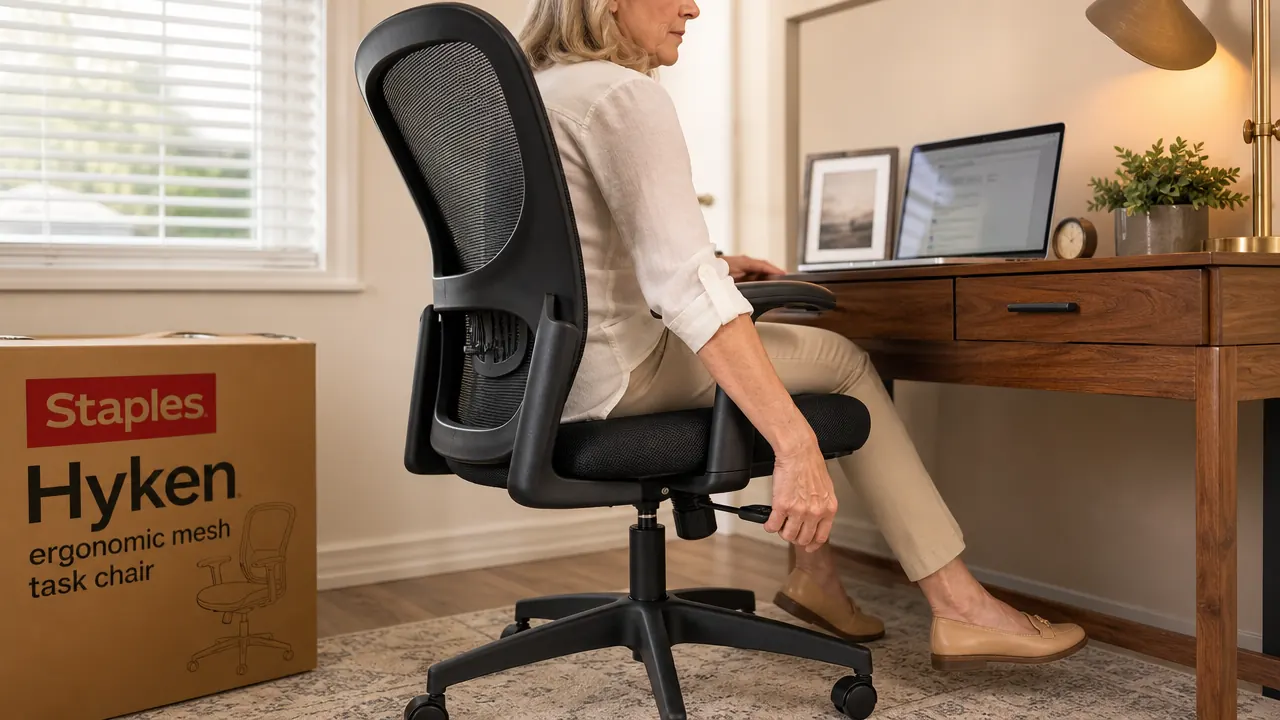
Where the budget shows: the armrests (height-only adjustment, plastic caps that scuff), the seat pan (cushioned woven fabric rather than true open mesh), and the back-frame plastic, which has a slight hollow sound when you tap it. Where it does not show: the mesh back panel, the lumbar adjustment mechanism, the gas cylinder, and the rolling base. Those feel closer to what you would expect from a mid-range chair. The Hyken is not a uniform product. It is a good chair underneath an average chair's trim package.
What I Use It For and How Long Each Day
My typical workday starts around 8 a.m. I sit for two to three hours of focused illustration work, take a real break, then come back for another two to three hours in the afternoon. On deadlines, I push past that into the evening. I am 5'5", and I set the chair seat at 18.5 inches from the floor, which puts my thighs parallel to the ground and my feet flat on the mat without straining. My desk is fixed at 29 inches, which is standard. That combination matters, and I will come back to it.
I do not get up to pace the room. I sit and draw, sit and read references, sit and edit. If anything I am the kind of user who stresses a chair more than the average person, because I tend to stay put. That said, I am not especially heavy (I am 136 pounds), so I am not pushing the structural limits of this chair. I am testing it primarily for comfort over long continuous sessions.
The Month-Four Shift Nobody Writes About
Here is what surprised me. Around month four, I noticed that the seat pan felt subtly different under my sit bones. Not dramatically lower, not broken, but slightly softer in the center than at the edges. The foam inside the cushioned seat pan had started its compression cycle. It is a very gradual thing, and I only noticed it because I sat in a different chair for a week while visiting my son in Portland and came back to the Hyken and felt the difference.
This is not unique to the Hyken. All foam compresses over time. But the Hyken's mesh back stays taut while the foam seat slowly softens, which means the two halves of the chair start to behave differently over time. Your back feels well-supported, but your seat feels progressively more like a tired couch cushion. By month eight the difference had leveled out and I stopped noticing it, possibly because I adapted, possibly because the compression slowed down. Either way: month four is the rough patch. If the chair feels slightly worse in that window, give it another few weeks. It is not failing. It is settling.
The mesh back stays taut while the foam seat slowly softens. Month four is the rough patch. Give it a few more weeks before you decide the chair has let you down.
The Desk Height Problem the Chair Cannot Solve
I want to mention something that is not the chair's fault but that full-time remote workers consistently run into with any ergonomic chair. The Hyken's seat height range is 17 to 21 inches. If you have it dialed in correctly, your thighs are parallel to the floor and your elbows are at roughly desk height. But if your desk is fixed at a height that does not match, you end up raising the chair seat to reach the desk surface, which lifts your feet off the floor, or you lower the seat to keep your feet grounded and find yourself reaching up to the keyboard, which strains your shoulders.
The Hyken is not the problem in that scenario. Any chair is. But people buy an ergonomic chair expecting their back pain to disappear and then discover that their 28-inch fixed desk and their 5'2" frame are not a good pair, and they blame the chair. Before you buy any ergonomic seat, figure out your correct seat height based on your height and your desk height. My piece on how to dial in the settings for your exact body walks through that math. Do it before purchase, not after.
Casters on Hardwood: The Detail Nobody Mentions
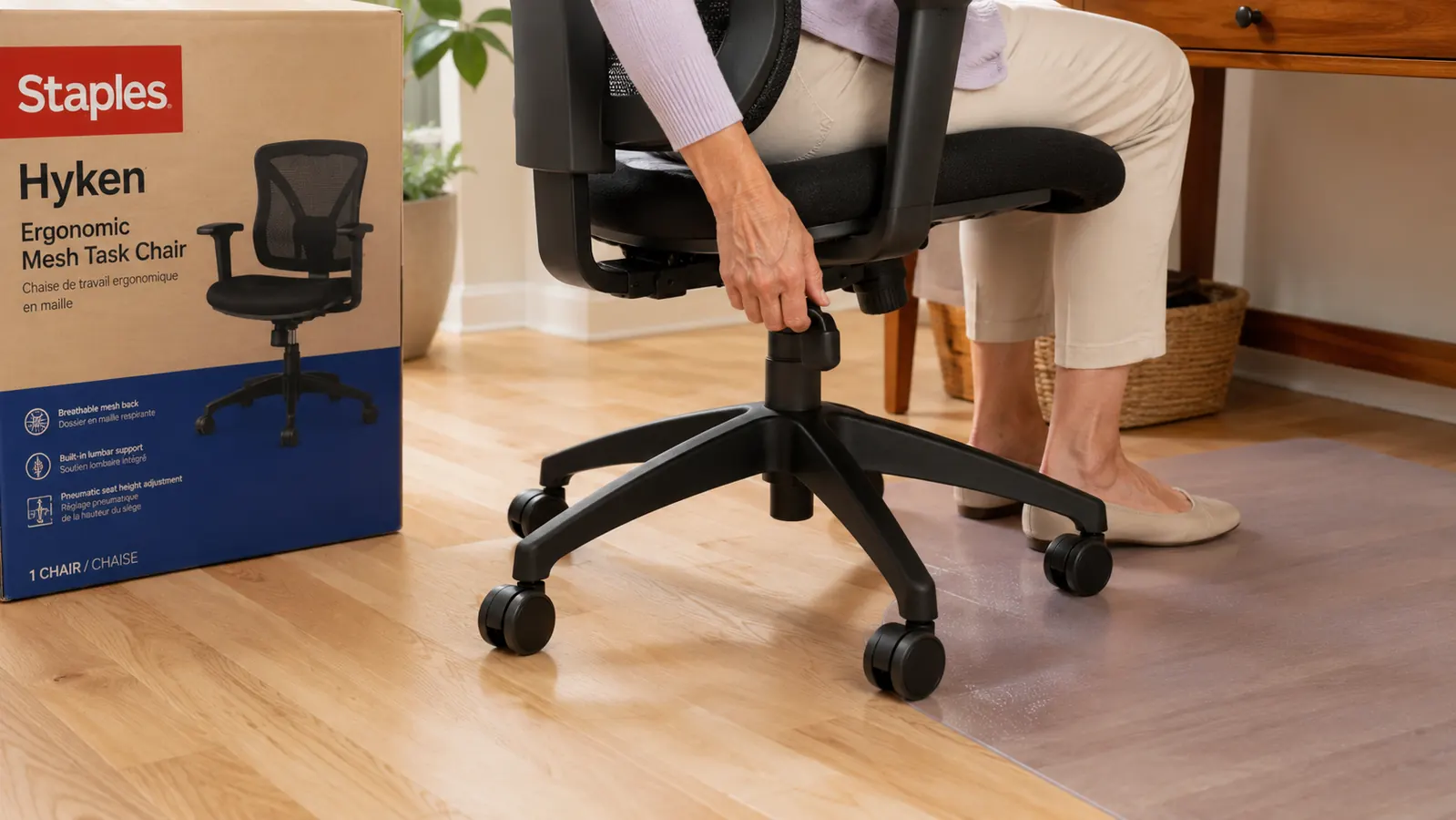
Most chair reviews skip the casters entirely. The Hyken ships with standard hard plastic twin-wheel casters. On carpet they roll fine. On hardwood or laminate floors, they roll fine too, but they roll faster and more freely than you might expect. If you work on hard floors without a chair mat, you will find yourself gently rolling away from your desk when you lean back and not noticing until you have drifted a full eight inches from where you started.
There are two fixes. One is a chair mat, which also protects your floor from the caster marks that hard plastic wheels leave over time on wood or laminate. The other is replacing the casters with soft polyurethane wheels, which you can order affordably and which swap in with no tools. I use a mat. The mat I have is a clear 36 by 48-inch lip-edge mat from Amazon that has been budget-friendly and has been in place since month one. It protects the floor, keeps the chair in place when I want it to stay, and rolls smoothly when I shift position. The Hyken does not come with one, and I think it probably should, or at least the listing should mention the hard-floor behavior.

How the Adjustments Actually Work in a Full Workday
The Hyken has four real adjustments: seat height, lumbar height, tilt tension, and tilt lock. The armrests go up and down but I mostly ignore mine. In practice, here is how those four things work across a real workday. I set seat height once when I first got the chair and have not touched it since. The lumbar I dialed in over the first week and also have not touched since. The tilt tension I adjust maybe once every two weeks depending on whether I am in a long drawing session where I want more resistance, or a reading session where I want it to recline a little more easily.
The tilt lock is the one I use the most, almost every session. When I am doing detail work that requires me to lean forward into the desk, I lock the chair upright so it does not wander backward. When I stop for a reading break or to review something on the wall, I release the lock and let the seat float. This is actually a better use of the tilt lock than I expected when I bought the chair. I thought I would never touch it. I use it multiple times a day. If you are a focused-work person who shifts between lean-in and lean-back modes, the tilt lock earns its presence.
What I Would Change If I Were Designing This Chair
I want to be specific here rather than vague. First, the armrests need pivot. Not full 4D movement, just 20 degrees of inward rotation so your forearms can land in a natural typing position rather than slightly splayed. Every chair at the mid-range and up that I have tried has this. The Hyken does not, and it is a real gap for people who type a lot. I paint more than I type so it affects me less, but for someone doing eight hours of keyboard work, the fixed armrests are a meaningful omission.
Second, the seat pan cushion should be denser foam or a different material entirely. At this price, a chair that is going to get 1,500 to 2,000 hours of use per year deserves a seat pad that does not compress visibly in the first six months. The mesh back outperforms the seat pan by a significant margin, and the chair would be markedly better if those two components aged at the same rate. Third, minor: the tilt tension knob label (the text that reads LOOSE and FIRM) wore off my chair entirely by month six. Purely cosmetic, but speaks to the trim quality.
What I Liked
- Adjustable lumbar support is functional and makes a measurable difference when set correctly
- Mesh back panel holds its shape even after extensive use, unlike foam which compresses invisibly
- Breathability across the back is significant in warm rooms or climates
- Tilt lock works well for toggling between focused lean-in work and relaxed reading posture
- Gas cylinder and base show no wear or slow-sink through extended daily use
- Honest value at the price point compared to padded chairs in the same range
Where It Falls Short
- Seat pan foam compresses noticeably by month four, then levels off, but the middle period is noticeable
- Armrests do not pivot or rotate, limiting their usefulness for keyboard-intensive work
- Ships without a chair mat recommendation, which matters more on hard floors than the listing suggests
- Trim quality is budget-level: labels wear off, plastic surfaces scuff
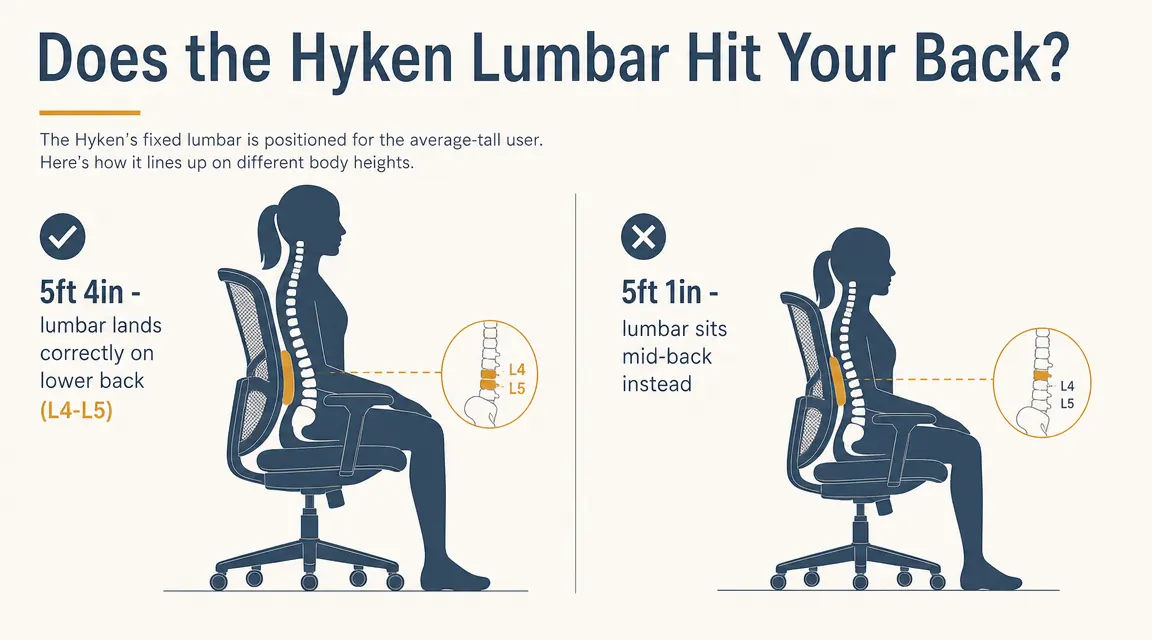
- Lumbar height range is limited at the extremes, so people below 5'3" may not get correct lower-back placement
Who This Chair Is For
The Hyken is genuinely well suited for remote workers, freelancers, and retirees who sit four to seven hours a day, are between 5'3" and 6'1", and are spending in the budget range. It is especially good if you work in a warm room or run physically hot, because the mesh back is real ventilation rather than a marketing phrase. If you are a painter, an illustrator, a researcher, or anyone who works in a forward-leaning-then-leaning-back rhythm, the tilt lock makes this chair more useful than comparable seats. If you are replacing a basic padded task chair that has compressed and started listing to one side, the Hyken will feel like a meaningful upgrade. And if the comparison against higher-end chairs interests you, I looked at how the Hyken compares to the Autonomous ErgoChair Pro for those considering both.
Who Should Skip It
Skip the Hyken if you are shorter than 5'2" and need precise lumbar placement for a diagnosed back condition. Skip it if you type at a keyboard for six or more hours a day and need armrests that actually support your forearms in a natural position. Skip it if you weigh more than 230 pounds and plan to sit in it for five-plus hours daily, because the seat pan compression story accelerates with higher body weight. And skip it if you have already bought a good ergonomic chair in the mid-price range before and you know what you like, because the Hyken will feel like a step down in the trim details even if the core support holds up. This is a working chair, not a luxurious one. It knows what it is.
If a premium chair is out of reach right now, this is the honest answer in the budget range.
The Staples Hyken has real adjustable lumbar support, a breathable mesh back that holds its shape, and a functional tilt system that actual full-time remote workers use daily. It is not perfect and I told you exactly where it is not. But for the price, it is one of the most solid ergonomic chairs you will find on Amazon. Check today's price before your back asks you to decide for it.
Amazon Check Today's Price on Amazon →