
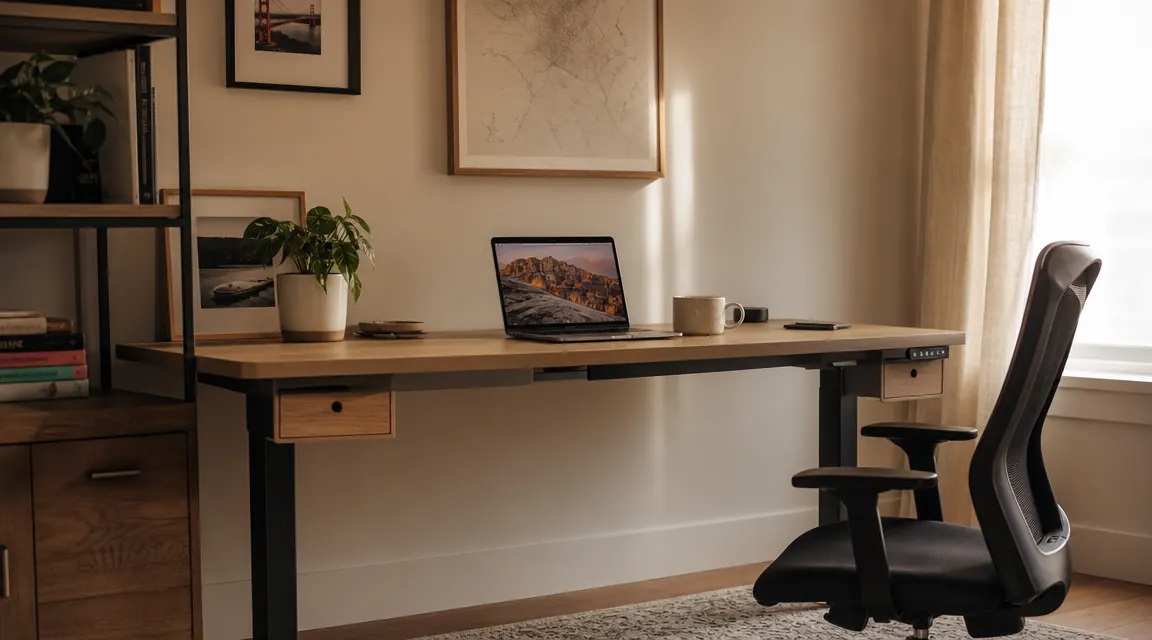
For the first three years I worked from home, I sat at a round dining table on a chair that was fine for a forty-minute dinner and nothing else. By two in the afternoon my lower back would start its familiar ache, and by four I was stretching in the hallway like I was trying to put out a fire. I kept telling myself I would fix it. I bought a cushion. The cushion did not fix it.
When I finally decided to set up a real office in the spare bedroom, I wanted something that would let me stand part of the day without spending a fortune. I also needed storage, because the room was small and I was already drowning in paper, chargers, and drawing supplies. That combination, a sit-stand desk with actual built-in drawers, is hard to find at a reasonable price. I found the HUANUO 48-inch electric standing desk with two drawers, read through the reviews, watched a few assembly videos, and ordered it. That was six months ago. Here is everything I learned.
The Quick Verdict
A surprisingly solid electric standing desk that earns its price through built-in storage and consistent motor performance, though the drawer construction and mild wobble at full height keep it from being perfect.
Amazon Check Today's Price →Back pain by 2pm? The HUANUO lets you stand without clearing your whole schedule first.
The HUANUO 48-inch electric standing desk with two built-in drawers is currently available on Amazon. Four preset heights, smooth motor, and storage that is actually useful.
Amazon Check Today's Price on Amazon →How I Set It Up and Started Using It
The box arrived in two separate shipments: the desktop surface and the frame separately. Assembly took me about 90 minutes working alone, which is longer than the box suggests but honestly reasonable for a motorized desk. The instructions are illustrated rather than text-heavy, which I appreciated. The trickiest part was attaching the frame crossbars to the desktop without a second pair of hands to hold things steady. I ended up flipping the desktop upside-down on a blanket on the floor, which worked perfectly.
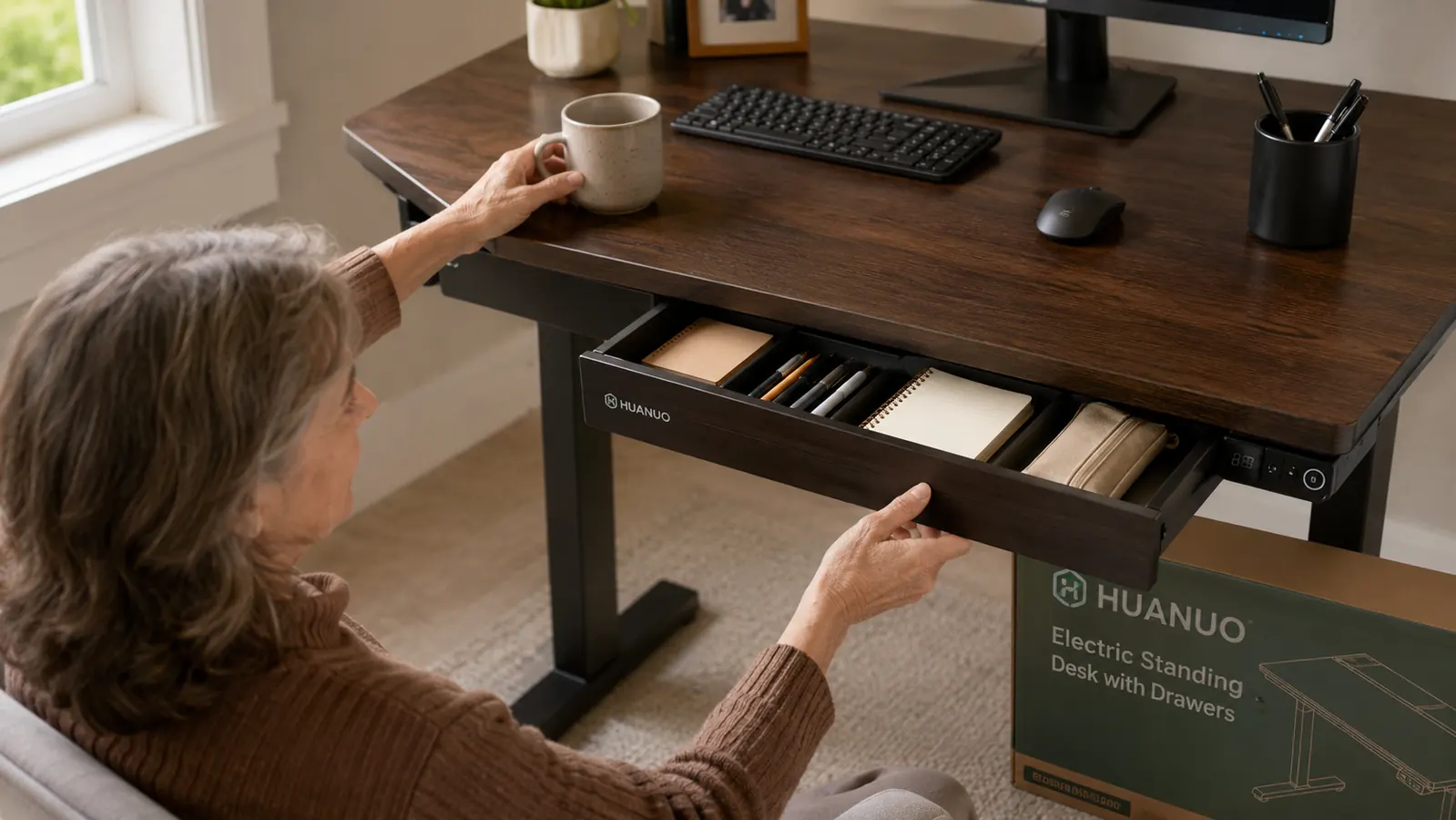
The two drawers attach to the left side of the desktop frame. They come pre-assembled as a unit, and you bolt that unit onto the desk legs in about fifteen minutes. The drawers are not deep, maybe four inches of interior clearance, but they are wide enough to hold a notepad, some pens, charging cables, and the other small items that used to live in a pile on my desktop. For me, that solved an immediate problem.
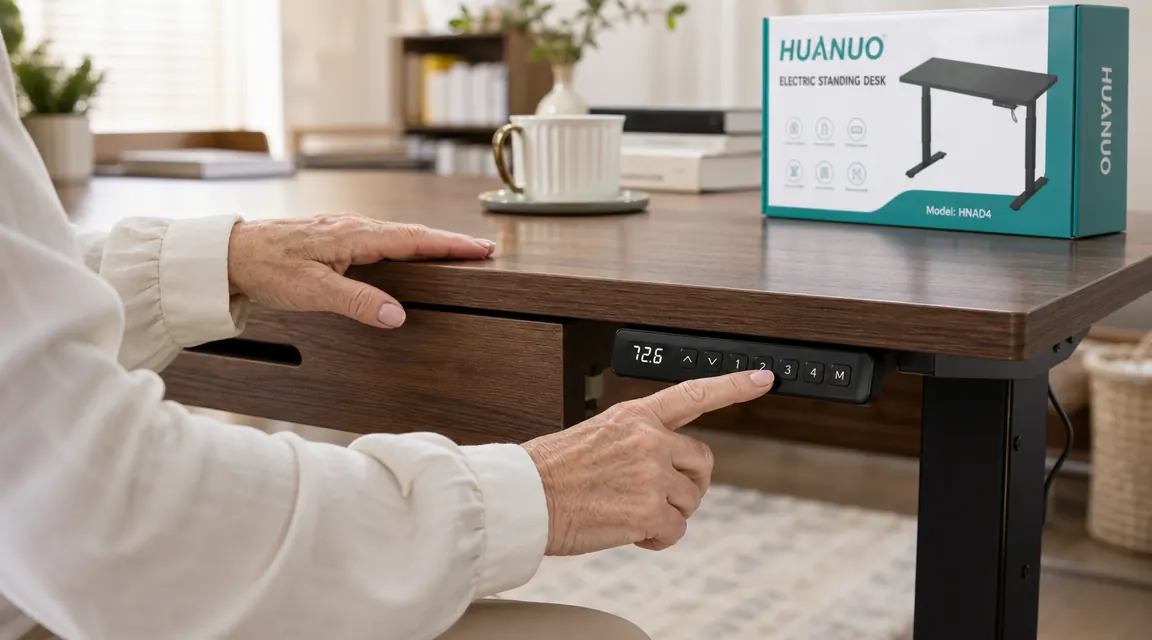
The control panel mounts to the front edge of the desktop. It shows the current height in centimeters and has four numbered memory buttons you program yourself. I set button one at sitting height (74cm for me, which works with my Hyken chair), button two at a comfortable standing height (105cm), and left three and four for occasional taller standing sessions. Programming the presets takes about thirty seconds and the desk remembers them through power outages.
Six Months of Daily Use: What Actually Happened
The motor is the heart of the desk and it has been completely reliable. I use the desk six days a week. Over six months that adds up to well over a hundred transitions between sitting and standing height. Not one glitch, no grinding, no hesitation. The motor is quiet, a soft hum that takes about six seconds to travel from sitting to standing height. It is not silent, but it is nothing like the loud grinding some reviews warned me about, and it certainly does not interrupt a phone call or a video meeting.
The desktop surface is a medium-tone walnut laminate. I was skeptical of laminate going in, but after six months it still looks good. I have set coffee mugs on it, slid books across it, and let my cat sit on it. There is one small scuff near the right corner from when I knocked a glass over in week two. Otherwise it has held up better than I expected.
My lower back used to start complaining around two in the afternoon. Six months in, that has mostly stopped. Not because I stand all day, but because I can change position when I need to without moving to a different room.
The stability story is more complicated. At sitting height and mid-height, the desk is solid. I can type vigorously, rest my elbows on the edge, and it does not rock at all. At full standing height (I tested it at its maximum of 49 inches) there is a noticeable wobble when I type with any force. It is not severe, it does not feel unsafe, and nothing has ever fallen off the desktop. But if you are someone who types hard or works with fine detail at full extension, you will feel it. At my preferred standing height of 105cm (roughly 41 inches) the wobble is minimal and has never bothered me.
The Drawers: Genuinely Useful or Just Marketing?
This was my biggest question before buying, and the honest answer is: genuinely useful, but with some limits. The drawers solved my clutter problem immediately. My charging cables, a small notebook, my reading glasses case, and a handful of pens now live in the top drawer. The second drawer holds a flat box of watercolor pencils I use when I am between tasks. Before the desk, all of that lived in a visible pile on the desktop or in a separate organizer that took up even more space.
The drawers move with the desk as it raises and lowers. That sounds obvious but it is worth saying: there is no gap between the drawer unit and the frame at any height, no pinching, no binding. I had wondered if the drawers might detach or shift over time. Six months in, they feel as secure as day one.
The con is the drawer construction itself. The slides are functional but feel noticeably budget. They have a slight resistance at the back of the travel and do not fully extend the way a kitchen drawer would. The drawer fronts are the same laminate as the desktop, which looks good, but the bodies are thin composite. Nothing has broken, but if you are used to solid wood drawer boxes you will notice the difference. These are desk drawers, not furniture drawers. They hold things fine. They do not feel luxurious.
Stability, Surface, and the C-Clamp Compatibility
One feature I did not fully appreciate until I owned the desk was the C-clamp compatibility. The desktop has pre-routed channels along the back edge designed to accept standard C-clamp monitor arms, lamp arms, and cable management clips without drilling. I use a monitor arm on this desk now and it clamps exactly where I need it without marring the surface. That is a small design decision that makes a real difference for how the desktop looks and how flexible the setup stays.
The 48-by-24 inch surface is a good size for a single monitor setup with room to work beside it. I have a 27-inch monitor on an arm, my laptop open beside it, a small notebook, and a mug with room to spare. If you need two full-size monitors side by side, this surface will feel tight. I would not call it a two-monitor desk. It is exactly right for one monitor and a secondary device, which describes how most people I know actually work.
What I Liked
- Motor has been completely reliable over 100-plus transitions in six months
- Built-in drawers actually solve the small-office clutter problem
- Four programmable height presets remember your settings through power cuts
- C-clamp compatible back edge means no drilling for monitor arms or lamps
- Clean laminate surface holds up to daily use better than expected
- Quiet motor: audible but not disruptive during calls or meetings
Where It Falls Short
- Noticeable wobble at maximum height extension when typing with force
- Drawer slides feel budget and do not fully extend
- Assembly takes closer to 90 minutes than the 45 suggested in the instructions
- 48-by-24 surface is tight for a true two-monitor setup
- Drawer interior clearance is shallow, around four inches, limiting what fits
How It Changed My Day (The Real Point)
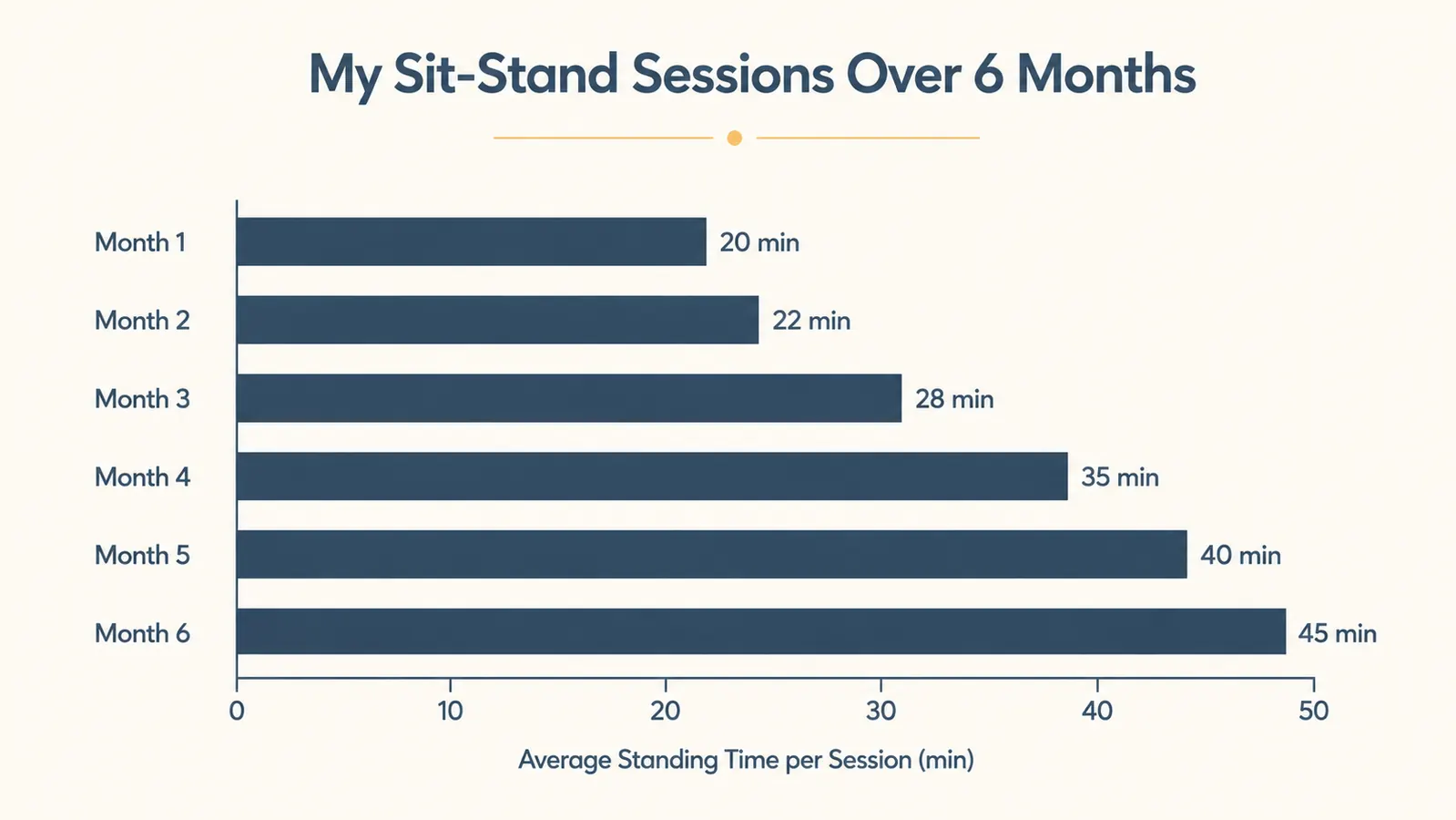
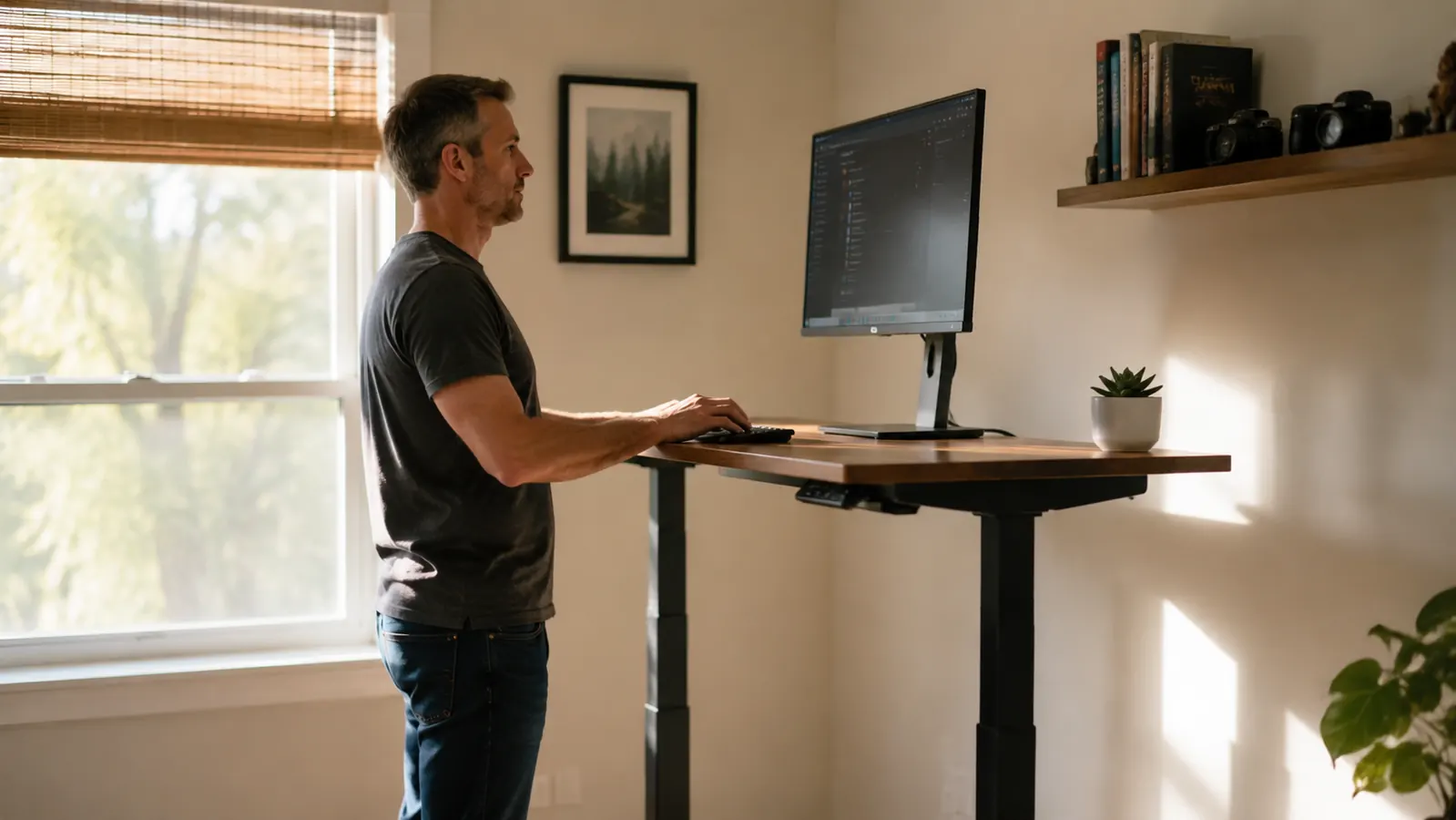
After six months I stand for about 45 minutes out of every two-hour work block. The chart I tracked for myself shows that number increased gradually. In the first month I was standing for maybe twenty minutes before my feet started to object. Now 45 minutes feels comfortable, and I sometimes go longer when I am in a flow and forget to sit. My lower back ache at 2pm has not completely disappeared but it is noticeably better. I attribute most of that to the combination of standing regularly and having a chair that is actually adjusted correctly, but the desk made the standing possible without any friction.
There is also the less measurable benefit of how the room feels. A clear desktop, cables tucked away (I added a cable tray under the desk for the power strip), and a desk that adjusts to me rather than making me adjust to it. The spare bedroom stopped feeling like a compromise and started feeling like a real workspace. That matters more than I expected it to.
Alternatives I Considered Before Buying
The most commonly mentioned competitor in this price range is the FlexiSpot E7. The E7 has a better frame (dual motors, heavier weight capacity, less wobble at height), but it does not have built-in drawers and costs significantly more for the frame alone before you add a desktop. For someone who does not need the storage and wants maximum stability, the E7 is the stronger frame. For someone like me who was solving two problems at once, storage plus sit-stand, the HUANUO made more sense at its price point.
I also looked at the Fezibo and the Vari Electric standing desks. The Fezibo had similar drawer options but fewer reviews and a less established track record. The Vari is excellent but sits in a higher price tier that put it outside what I wanted to spend on a room I was not sure I would use every day. Six months in, I use it every day, so I could probably justify more spend now. But the HUANUO at the price I paid was a low-risk way to find out.
Who This Is For
This desk is a good fit if you are setting up a solo home office, work mostly solo on one monitor, and want the combination of sit-stand flexibility and built-in storage without spending on a premium frame. It is also right for smaller rooms where a separate storage unit would crowd the space. Retirees running a side business, freelancers, remote workers who share a home and do not have room for a lot of furniture: this is the desk I would recommend as a starting point. It does everything it promises and it does it reliably.
Who Should Skip It
If you plan to run two large monitors and a desktop computer at full standing height and you type hard, you will probably find the wobble frustrating. Power users who spend eight to ten hours a day at a standing desk and need absolute rigidity should put more money into the frame and buy a separate storage solution. Designers who need to work from drawings or do detailed physical work at standing height should also look at a heavier-duty frame. For everyday office and creative work at moderate standing heights, this desk is completely fine. For intensive professional use at maximum extension, it has limits.
If you are wondering whether the drawers are worth the trade-off in frame rigidity compared to a plain standing desk at the same price, the answer depends on whether storage is a genuine problem for you. If your desktop is already clear and organized, skip the drawers and spend the money on a better frame. If you are like me and your desk has always been a horizontal surface for collecting things that have nowhere else to go, the drawers will change how the space feels every single day.
For more detail on how the HUANUO compares head to head against the FlexiSpot E7, I wrote a full side-by-side breakdown in my HUANUO vs FlexiSpot E7 comparison. And if you are still deciding whether a standing desk with drawers is right for your specific setup, my piece on the 10 reasons a standing desk with drawers changes a small home office walks through exactly that question.
Six months later, I would buy this desk again. If storage plus sit-stand is what you need, this is the one.
The HUANUO 48-inch electric standing desk with two built-in drawers. Four programmable height presets, C-clamp compatible back edge, and drawers that move with the desk. Check current pricing and availability on Amazon.
Amazon Check Today's Price on Amazon →