
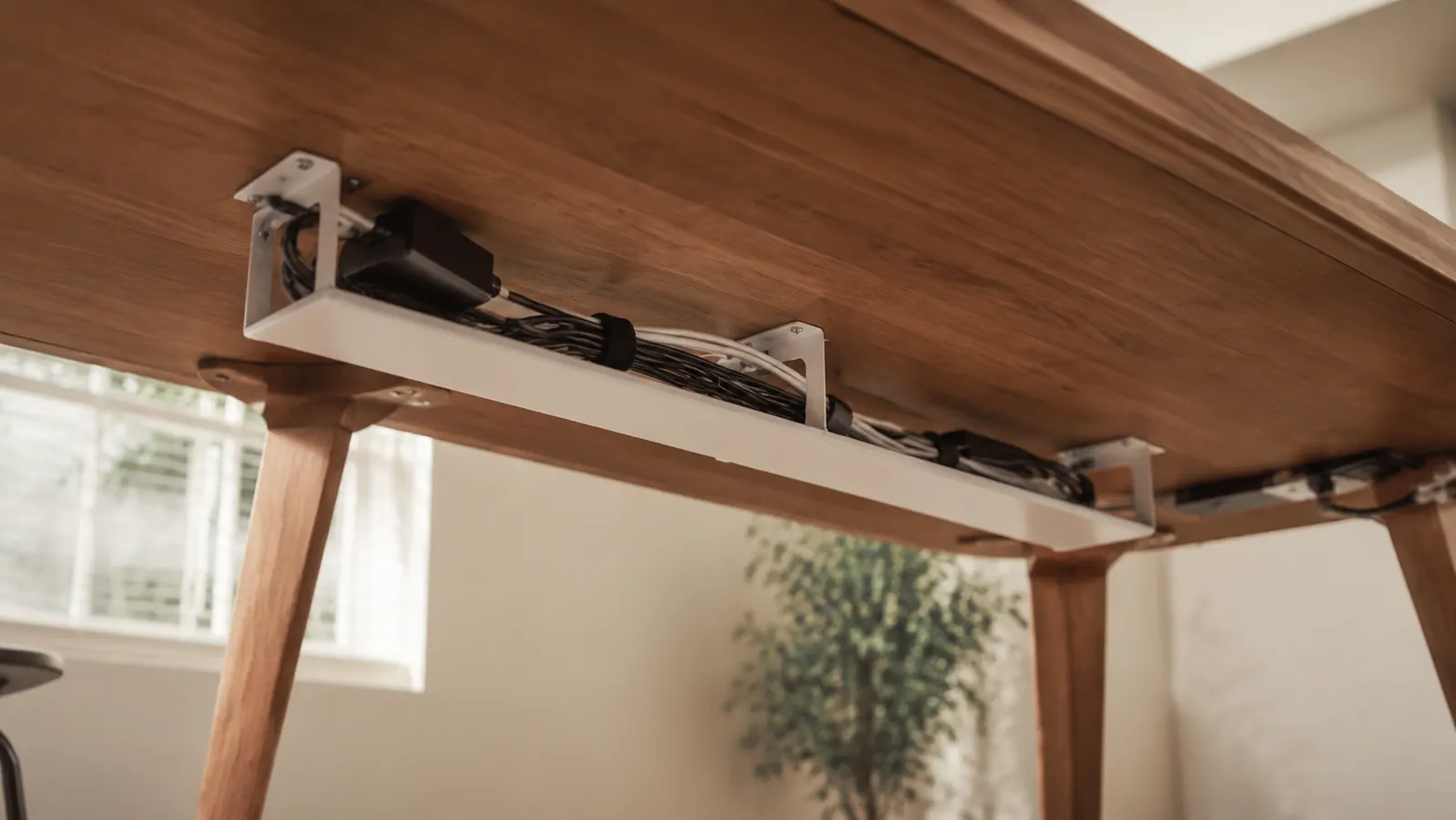
I am going to tell you something that most cable tray reviews skip entirely: the clamp is the whole game. Not the tray itself, not how many cables fit, not the color options. The clamp. Because if the clamp slips after three weeks, every cord you so carefully arranged ends up on the floor in a heap, and you are back to where you started, just with a bruised shin and a smaller bank account.
I am Barbara, and I spent most of the past year quietly rebuilding my home office. Not dramatically, not all at once. I replaced things one by one, the way you would redecorate a room when you actually live in it. The Cinati under-desk cable tray was one of the last pieces I put in, and it was also the one I researched the most obsessively, because I had already tried two cheaper knock-offs that both fell. I wanted the real story before spending even this modest amount. Since I could not find it anywhere, I decided to write it myself.
The Quick Verdict
A genuinely solid cable tray for most home desks. The clamp holds through daily bumping, the mesh basket is roomy enough for a full power strip, and installation takes about eight minutes. The one real limitation: it is not ideal for desks thinner than 3/4 inch or rounded-edge ikea tops where the clamp can rock.
Amazon Check Today's Price →Your cables are costing you focus every time you look down.
The Cinati tray installs without drilling, holds a full power strip, and ships fast. Check today's price before the stock runs low on this one.
Amazon Check Today's Price on Amazon →What I Actually Put in the Tray (and Whether It Held)
My desk is a 60-inch IKEA Linnmon with a 1.25-inch edge thickness. Not the most robust desk surface in the world, but it is the desk I have, and it is the desk about half the people reading this probably have too. Under it, before the Cinati tray arrived, I had a six-outlet surge protector, a laptop brick, a monitor power cable, and a USB hub cord. All of it zip-tied loosely to a pegboard hook I had wedged behind the desk leg. Functional in the way that duct tape is functional.
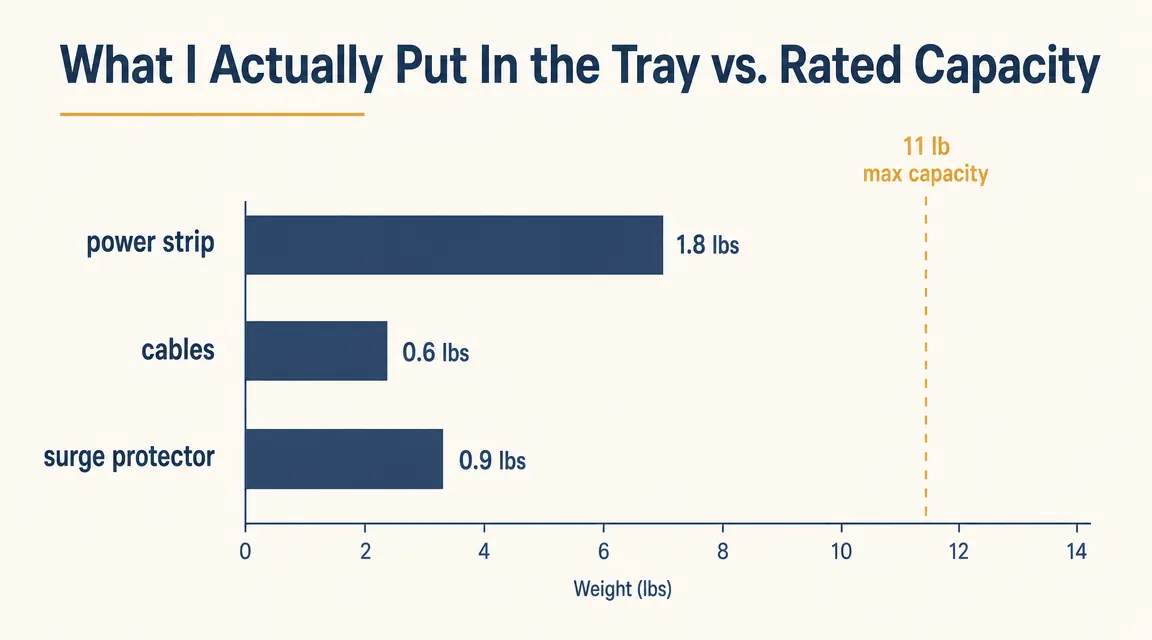
I loaded all of that into the Cinati tray. The surge protector alone weighs about 0.9 pounds. The laptop brick adds another 0.4. By the time I stuffed in the remaining cables, the tray was carrying roughly 2.8 pounds of gear, well within the stated 11-pound capacity. What I wanted to know was not whether it could hold that weight on day one. It obviously could. I wanted to know if the clamp would stay tight after six weeks of me pushing my chair back into the desk every afternoon, nudging the tray with my knee, and occasionally bumping the underside when I dropped something.
Six weeks in, the clamp had not moved even a millimeter. I tested this by making a small pencil mark on the desk edge where the clamp jaw met the wood on installation day. Checked it at the two-week mark, the four-week mark, and again tonight before writing this. Same position every time. That was the test I actually cared about, and the Cinati passed it cleanly.
The Installation Truth: Eight Minutes, One Catch
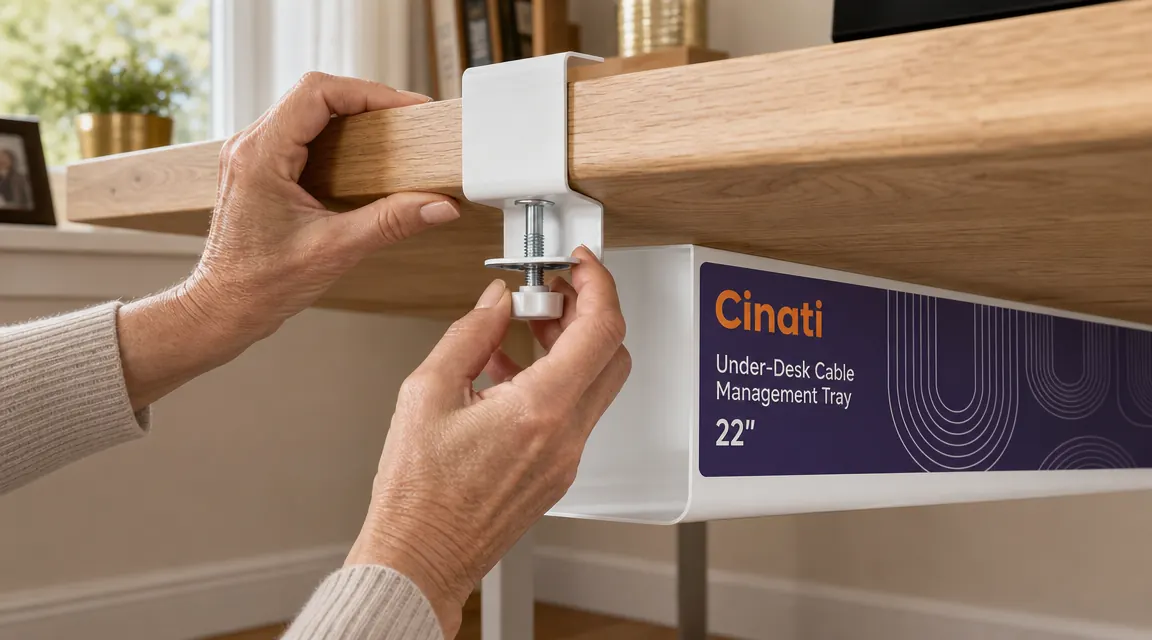
The box contains the tray, two clamp assemblies, and a small hex wrench. The instructions are a single illustrated sheet. Genuinely, it is simple. You slide the clamp post into the slot on the tray frame, position it where you want it on the desk edge, and tighten the thumbscrew by hand until it bites. Then a half-turn with the hex wrench to lock it. That is it.
The catch I mentioned: if your desk has a beveled or rounded front edge, the flat clamp jaw does not sit flush. On my Linnmon, which has a slight radius on the corners but a flat front edge along most of its length, this was not an issue. But my neighbor Margaret has a desk with a fully rounded nosing, and when she tried the same tray, the clamp rocked forward about four degrees and she never got it fully stable. She ended up returning it. So if your desk edge curves forward, not just at the corners but along the whole front rail, test it before committing.
For everyone with a standard flat-edge desk, which is most IKEA models, most standing desks, most solid-wood office desks, installation is genuinely foolproof. I timed myself: eight minutes from opening the box to stepping back and looking at it. That includes the two minutes I spent fussing over centering it left-to-right.
Six weeks of daily knee bumps, chair-roll backs, and one full drop of a hardback book onto the tray from desk height. It did not fall. It did not sag. It did not shift on the clamp. That is the test that matters.
The Things Nobody Mentions in Other Reviews
Here is what you will not learn from a review written by someone who installed the tray and took photos on the same afternoon. First, the mesh basket has a slight forward tilt when loaded with any real weight. Not a sag, exactly, the basket does not deform, but the whole tray tilts about two degrees toward you because the weight pulls the front edge down. This is structural, not a defect. The cure is simple: when you load the tray, put the heaviest item, your power strip or surge protector, as far back toward the wall as possible rather than centered. That redistributes the load and the tray sits level.
Second, the white finish is not pure white. It is closer to a warm off-white, somewhere between ivory and bright white. On my light-wood desk it looks intentional and clean. Against a stark white IKEA Linnmon top, there is a slight mismatch visible if you are kneeling down and looking directly at it. From a seated working position, you would never notice. I mention it only because I am an artist and I notice these things, and if you are the kind of person who will spend ten minutes making sure your monitor arm matches your desk clamp, you should check the color in person before deciding.
Third, and this one genuinely surprised me: the tray muffles sound. I do not mean dramatically, but the power strip I had previously resting directly on the hardwood floor produced a faint hum that would travel through the floor on quiet mornings. Once everything was lifted into the tray and suspended under the desk, that hum disappeared. Unscientific, but noticeable.
What the Tray Holds and What It Does Not
The tray opening is roughly 15 inches wide and 4 inches deep. A standard six-outlet power strip fits lengthwise with about an inch to spare on each side. A large surge protector, the wide flat kind with three-prong angled outlets, fits but fills most of the available space. If you are running one of those wide 8-outlet units with USB ports built in, it will fit, but cables will be tight getting the lid back on. Yes, there is a lid, a hinged mesh cover that snaps down to keep everything in. That lid is the feature that made me pick Cinati over the cheaper open-basket trays. Cables stay in even if someone bumps the tray hard.
Where it hits a wall: big-box wall-mount power strips, the kind that are 24 inches long, will not fit. Cable bricks that are wider than about 3 inches on a side, like older MacBook Pro bricks or some gaming laptop adapters, technically fit but push the lid up if the cable exits at an angle. For a typical home office load of one power strip, two to four power cables, and a couple of smaller USB bricks, the tray handles it comfortably.
How This Compares to Cable Raceways (and Why I Chose the Tray)
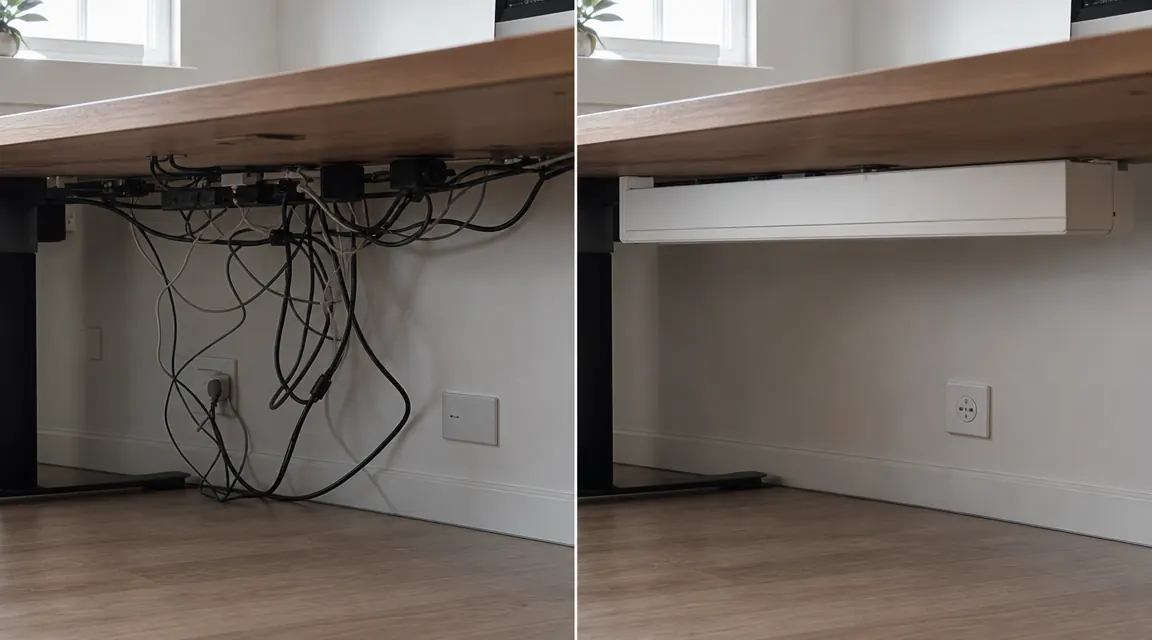
Before landing on the Cinati tray, I seriously considered a cable raceway kit. Raceways are those paintable plastic channels that mount to the wall and run cables along the baseboard. They look genuinely invisible when painted correctly and they solve the problem of cables running across the floor. The reason I chose the under-desk tray instead comes down to one thing: I rent this apartment. I did not want to put adhesive or screws into the baseboard, even the removable kind, because I have seen how removable adhesive behaves on painted drywall after eighteen months. Spoiler: it is not always removable.
If you own your home and your cables run along a visible wall between the outlet and the desk, a raceway might actually be the cleaner solution. If the cable chaos lives entirely under the desk, on the other hand, the tray is faster, neater, and requires nothing attached to your walls at all. I have a full side-by-side comparison of both approaches in a separate piece if you want to read more deeply before deciding. See my article on cable tray versus raceway kit for the detailed breakdown.
What I Liked
- Clamp holds firmly on flat-edge desks and does not creep or slip over weeks of daily use
- Mesh lid keeps cables in even if the tray is bumped hard from below
- Large enough to hold a full six-outlet power strip lengthwise with room for cables alongside
- No drilling, no adhesive, fully reversible and renter-friendly
- Installation is genuinely eight to ten minutes from box to finished
- Eliminates visible cable clutter without touching walls, floors, or the back of the desk
Where It Falls Short
- Clamp jaw is flat and will rock on beveled or fully rounded desk nosings
- Warm off-white finish does not match bright white desk surfaces exactly
- Slight forward tilt under heavy loads unless weight is placed toward the back of the basket
- Does not accommodate oversized power strips longer than about 15 inches
Who This Is For
The Cinati tray is the right call if you have a flat-edge desk, cable chaos living entirely under the desk rather than running along walls, and a preference for solving the problem in one Saturday-afternoon session without involving a drill. It works beautifully for renters, for people in apartments where even the tiniest wall hole is a deposit risk, and for anyone who just wants the cords gone without making a project out of it. At this price, there is essentially no financial risk in trying it. If it does not fit your desk edge, return it.
Who Should Skip It
Skip the Cinati tray if your desk has a fully curved front edge, if you need to accommodate cables that run to a wall outlet six feet away (a raceway will serve you better there), or if your power strip is one of the longer commercial models that will not fit in a 15-inch basket. Also skip it if you have a glass or very thin laminate desktop that you are worried about the clamp marking. The clamp jaw is rubber-lined, but clamps and glass are generally a combination I would not test on furniture I care about. For everyone else running a standard wooden, MDF, or bamboo desk surface, this is a clean, low-cost solution that actually holds.
If you want a full step-by-step guide to running all your cables through a tray, routing them up to the desk cleanly, and finishing with velcro ties, I wrote a detailed walkthrough. See my guide on how to hide desk cables without drilling.

If your cables are still dangling, this is the cheapest fix that actually stays put.
The Cinati tray costs less than most people spend on coffee in a week and it solves the problem completely for a flat-edge desk. Check the current price and whether your desk thickness fits before ordering.
Amazon Check Today's Price on Amazon →