

I spent three years convincing myself the overhead light in my spare bedroom was fine. It was not fine. By four in the afternoon my eyes felt like sandpaper, and by dinner I had a low headache I kept blaming on screen time. The real problem was glare, contrast, and the complete lack of a proper task light aimed where I actually needed it.
When I finally started researching desk lamps, the BenQ ScreenBar Halo came up constantly. Gorgeous reviews, clever design, beloved by the YouTube home office crowd. Then I saw the price. Premium pricing depending on where you look. I am a retired person running a small creative business from a desk in my second bedroom, not a tech executive. So I kept digging. That is how I found the Pzloz architect lamp, a clamp-on LED with dual color temperatures, a USB charging port, and more than three thousand reviews at a budget-friendly price.
| Feature | Pzloz Architect Lamp | BenQ ScreenBar Halo |
|---|---|---|
| Price | Budget-friendly | Check today's price on Amazon |
| Mounting Style | Desk clamp, positions anywhere | Sits on monitor top, fixed position |
| Color Temperature | 2 modes: warm + cool (manual) | 3 modes: warm, neutral, cool (auto-dimming optional) |
| Brightness Control | Stepless dimmer on arm | Touch-bar on unit |
| Back-Glow Feature | No | Yes (ambient light behind monitor) |
| USB Charging Port | Yes, on lamp body | No |
| Memory Function | Yes, remembers last setting | Yes |
| Arm Flexibility | Full articulating arm + head pivot | None, fixed angle on monitor |
| Desk Space Used | Clamp on edge, arm overhead | Zero desk footprint |
| Works Without Monitor | Yes, freestanding on any desk | No, requires monitor to mount on |
| Best For | Any desk, any layout, flexible spaces | Dedicated monitor setups, no clutter |
| Rating (Amazon) | 4.7 stars, 3,303 reviews | 4.6 stars (separate product) |
Where the Pzloz Architect Lamp Wins
The single biggest advantage of the Pzloz is placement freedom. Because it clamps to the desk edge and uses a fully articulating arm, I can swing the head exactly where I want it: directly over my sketchbook when I am working on paper, shifted left when I am at the keyboard, tilted down closer for detailed work. The BenQ ScreenBar Halo cannot do any of that. It lives on top of your monitor, period. If you rotate to a side table, pick up a physical book, or work at an angle, the light does not follow you.
The USB charging port on the Pzloz is genuinely useful and not something I expected to care about. My phone charges there while I work. It is a small thing, but on a desk where I am always hunting for an outlet, it matters. The BenQ has no charging port at all. For a premium lamp that is a notable omission. The memory function on the Pzloz also works exactly as advertised: I set it to warm-toned mode at about 70% brightness, and every morning it comes back on at those same settings. One less thing to fuss with.
Then there is the price. The Pzloz costs well under the mid-range at current Amazon pricing. The BenQ ScreenBar Halo costs considerably more. That gap is not theoretical money. It is a standing desk mat, a decent ergonomic keyboard, or simply money saved. For the actual functional improvement to your eyes during a workday, the Pzloz closes most of the gap at a fraction of the cost.
Your eyes hurt by 3pm. This lamp is the most likely fix.
The Pzloz architect lamp has 3,303 Amazon reviews at 4.7 stars. Warm and cool modes, full articulating arm, USB charging, and memory function. Check today's price below.
Amazon Check Today's Price on Amazon →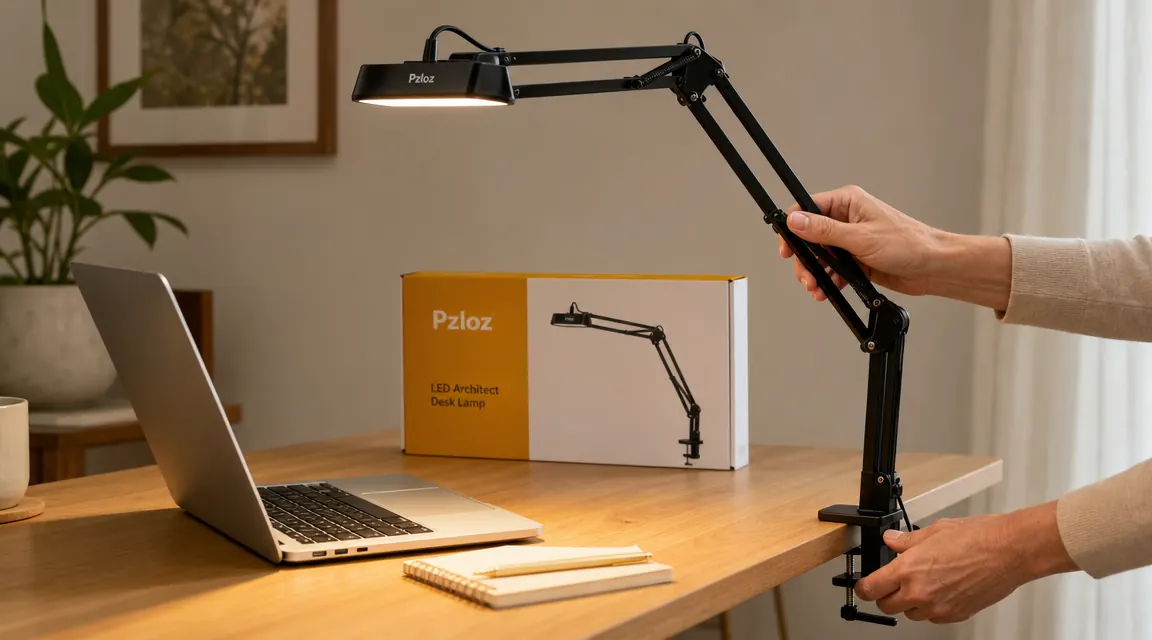
Where the BenQ ScreenBar Halo Wins
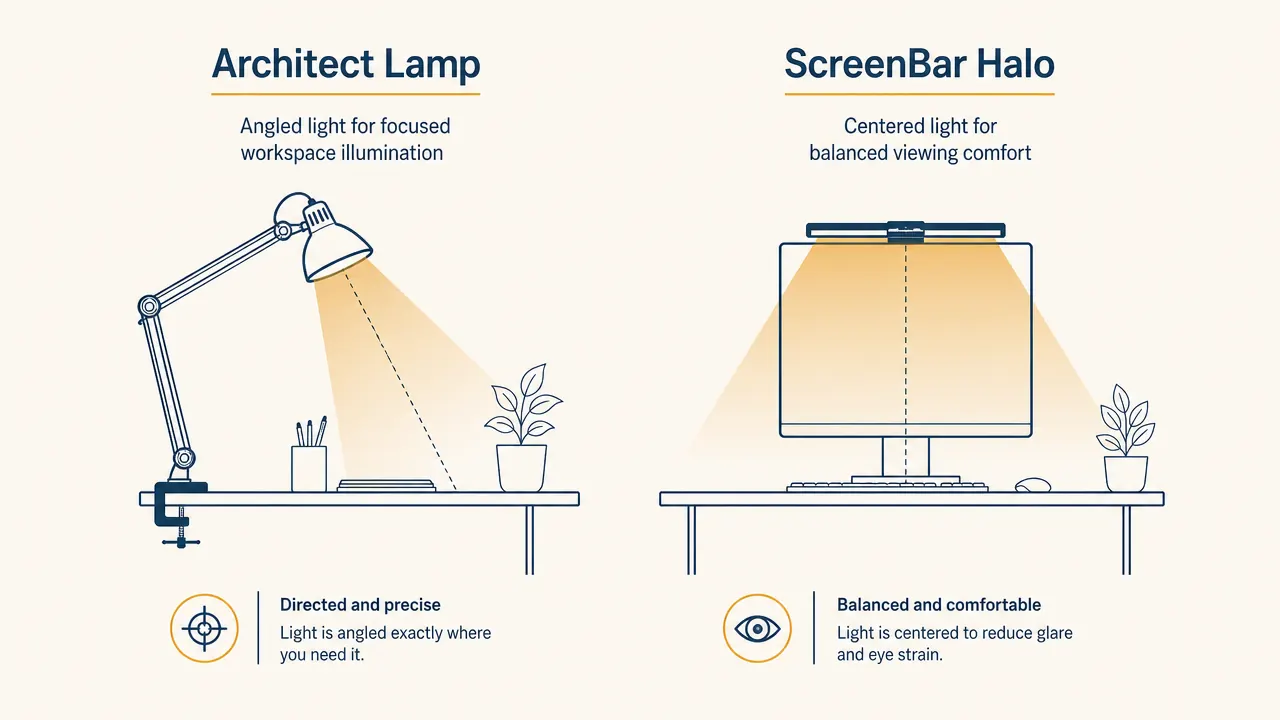
The BenQ ScreenBar Halo was designed to solve one very specific problem: glare on a monitor from a light source. Because it mounts on top of the screen and shines downward and backward (the "Halo" name comes from its rear-facing ambient glow), it lights your desk without bouncing light back at your eyes through the screen. For someone working full time in front of a large monitor in a dark room, that is genuinely elegant engineering. The physics are smart.
The BenQ also has a cleaner look if you are someone who wants zero visible equipment on the desk surface. No arm, no clamp, no cable running to the edge. It simply crowns the monitor. If your workspace is a permanent, dedicated setup with a big display and you never move the lamp, the ScreenBar Halo is a very polished piece of hardware. The auto-dimming feature on some versions, which reads ambient light in the room and adjusts accordingly, is also something the Pzloz does not offer.
The BenQ is beautiful. But I am not in front of one monitor eight hours a day in a dark studio. I am a retired artist who paints sometimes, types sometimes, and reads at the same desk. The Pzloz follows me. The ScreenBar Halo does not.
The Light Quality Question: Does Expensive Mean Better?
Both lamps use LEDs and both offer color temperature adjustment. The BenQ's light spread is engineered specifically to avoid monitor glare, using an asymmetric optical design. That is real and measurable. The Pzloz uses a simpler approach: you aim the head away from your screen, toward the desk. If you position it correctly, you get nearly the same result. The difference in eye comfort between a well-positioned Pzloz and the BenQ ScreenBar Halo is smaller than the marketing suggests.
Where the BenQ genuinely outperforms is in its back-glow ambient panel, which casts soft light on the wall behind your monitor. This reduces the perceived contrast between a bright screen and a dark room, which is a legitimate factor in eye fatigue. If you sit in a dark room and your monitor is your only light source, the ScreenBar Halo's rear glow helps. If you work in a room with any natural light, window light, or other ambient sources, the difference becomes negligible.
Real-World Setup Differences
Setting up the Pzloz took about four minutes. The clamp went onto my desk edge without tools. The arm snapped into position. I plugged in the USB power cable and adjusted the head. Done. The articulating joints stay where you put them without drifting, which is not something every cheap architect lamp can say. I have left mine in the same position for weeks and it has not sagged.
The BenQ ScreenBar Halo requires a monitor with a reasonably standard top edge to balance on. If your monitor has a curved back, an unusual bezel, or sits on a VIVO arm mount the way mine sometimes does, the fit can be awkward. It also needs its own power cable run to an outlet, whereas the Pzloz can run off a USB port if you have one available. Neither setup is difficult, but the Pzloz is genuinely simpler and more flexible in non-standard desk arrangements.

Who Should Buy Which
Buy the Pzloz if your desk is not a fixed permanent command center, if you do any work away from the monitor (writing, sketching, reading physical materials), if you are budget-conscious, or if you simply want a very good lamp that solves the eye strain problem without requiring a premium commitment. Nearly everyone in this category will be happy with it. The 4.7-star rating across more than three thousand reviews reflects real satisfaction, not marketing.
Buy the BenQ ScreenBar Halo if you have a permanent, dedicated monitor setup, you work long hours in a dark room, you are comfortable spending premium prices on a lamp, and the no-clutter aesthetic on your desk surface genuinely matters to you. It is a premium product for a specific use case. If those boxes are checked, it earns its price. If even one of them is not, the Pzloz is the smarter call.
The Honest Verdict
The BenQ ScreenBar Halo is a beautifully designed lamp. I respect what it does and why it exists. But for most home office workers, especially those of us with mixed-use desks, limited budgets, or a need for flexibility, it is solving a problem with a premium tool when a budget tool handles 90% of the job. The Pzloz architect lamp is not a compromise. It is a genuinely good piece of hardware that happens to cost far less. My eyes stopped hurting by mid-afternoon after I set it up. That was the whole goal.
If you are reading this at 8pm with tired eyes, tomorrow is a good day to fix that.
The Pzloz has a warm mode that feels like candlelight on your desk and a cool mode for focused daytime work. Articulating arm, clamp mount, USB port, memory function. Check today's price on Amazon.
Amazon Check Today's Price on Amazon →